


Feature to log in to Moodle via Zalo
To provide convenience for users, the feature of logging into Moodle via Zalo has been developed. This feature allows users to use their Zalo account to log into the Moodle system without needing to create a new account or remember another password.
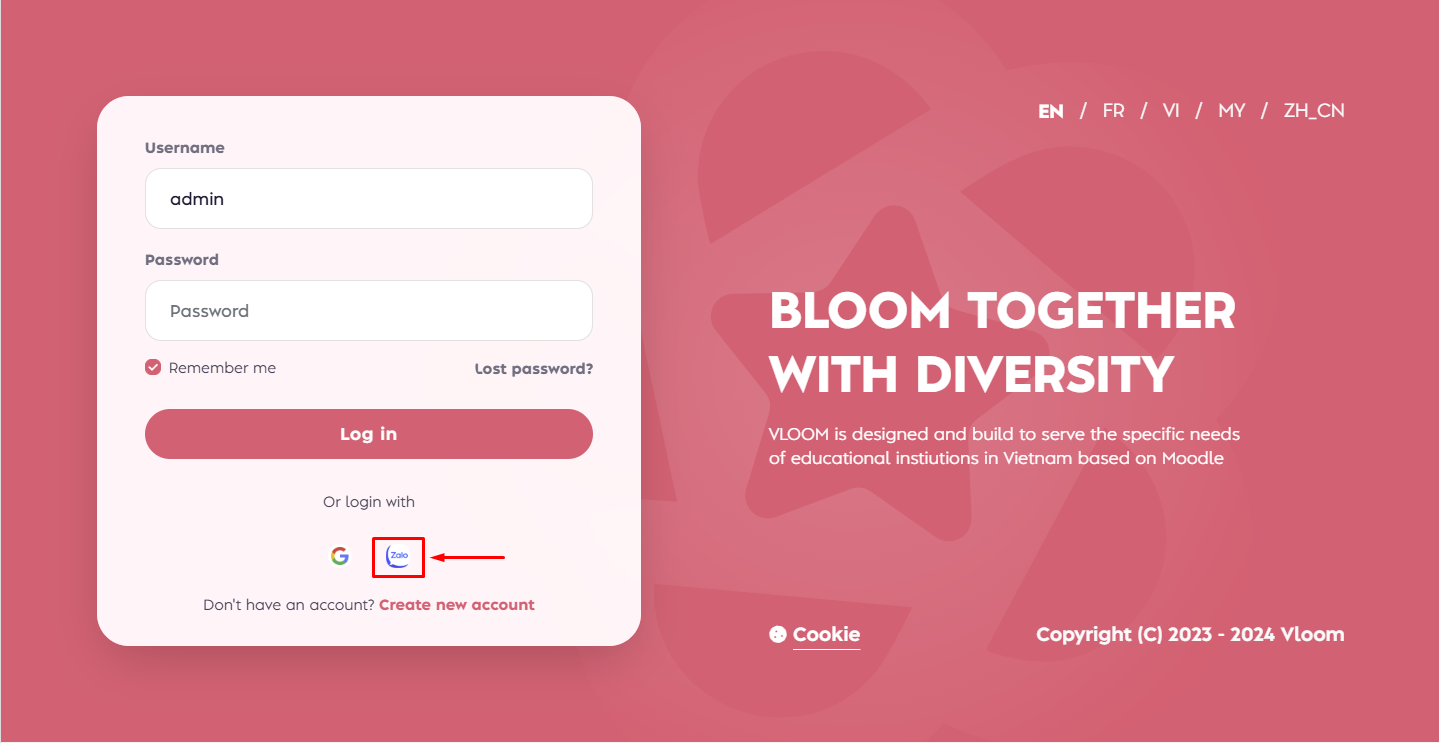
Benefits of this feature:
– Convenient and fast: Users can log into Moodle quickly with just a few simple steps on Zalo..
– High Security: Using Zalo’s authentication system enhances the security of Moodle accounts.
– Easier management: Users do not need to remember multiple accounts and passwords, minimizing security risks associated with forgetting passwords.
Instructions for Logging into Moodle via Zalo
To log into Moodle through Zalo, users can follow these steps:
1. Access the Moodle login page: Open a web browser and navigate to the Moodle login page of your organization or school.
2. Select the Zalo login method: On the login page, choose the “Log in with Zalo” option.
3. Authenticate your Zalo account: The system will redirect you to Zalo’s authentication page. Log in to your Zalo account if you haven’t already.
4. Grant access permissions: After logging into Zalo, you will be asked to allow Moodle to access some basic information from your Zalo account. Choose “Allow” to continue.

5. Complete login: After successful authentication, the system will automatically redirect you back to the Moodle page, and you will be able to use the features on Moodle.